Notes on Visual Interfaces, AI Tooling, Fast LLMs and Decision Models
I was listening to The Pragmatic Engineer podcast, with Maggie Appleton being interviewed.1 It sparked a thought about how we are currently in a very textual era of agentic usage.
In the podcast, she brings up the idea of the speed and fidelity of a notebook for just jotting down your ideas and sketching out possibilities. With agentic coding, there are a lot of extra layers to go through to think through a problem. And you’re going through an interface that is highly textual, on the command line.
Related, there’s the work from the people at tldraw, who are experimenting with the canvas as the operating primitive for connecting with agents.2 They have done some experiments connecting the generative output to a viewer in the canvas that you can interact with.3
The idea has potential. I think we’re still missing some primitives. Some of that is around routing to the fastest LLM. I think speed has a certain quality to things. Putting the frontier LLM on “give me button variants” or “build me a small little jig that allows me to adjust the border and colouring” is maybe not necessary.4
Naturally, there’s a level of usability and reusability to it all, and you could imagine reusable tooling as you go along. But I’m not sure exactly what the primitives of that tooling would be. It’s just more of an intuition.
I was playing around with it on the canvas, and tldraw have some examples themselves. One thing I noticed is that you have to think about how you’re branching the context: how you’re bringing it to the next frame, what comes and what doesn’t. Another aspect is how you want to retain all of the intermediate stages of development.
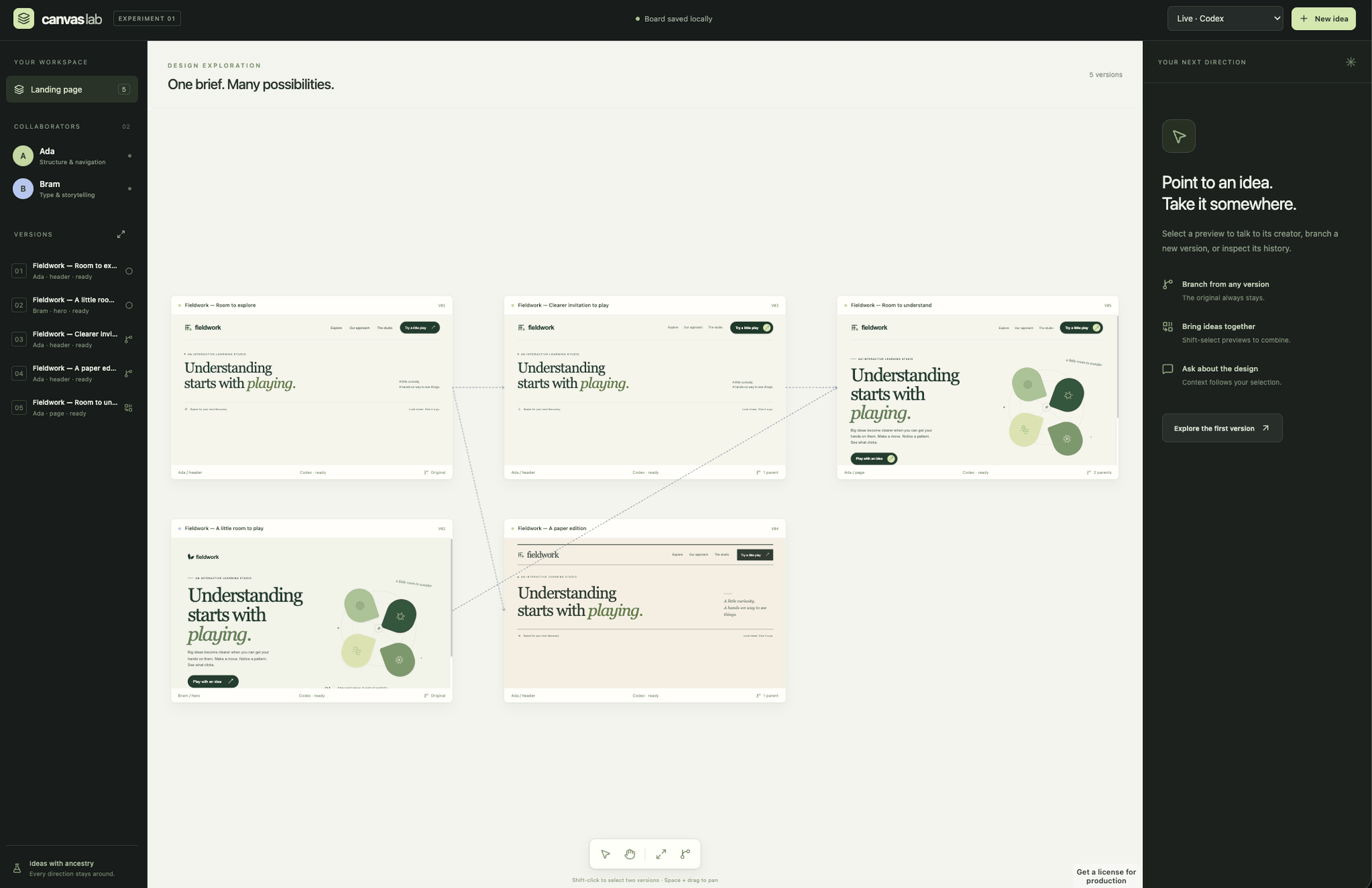
I can imagine you’re designing some sort of homepage and you could have a graph of thirty to forty different individual versions. You could navigate that graph quite easily, branch off, and mix and match between different things. It feels kind of natural, along with some way of collapsing that graph when you’re not interested in certain pieces.
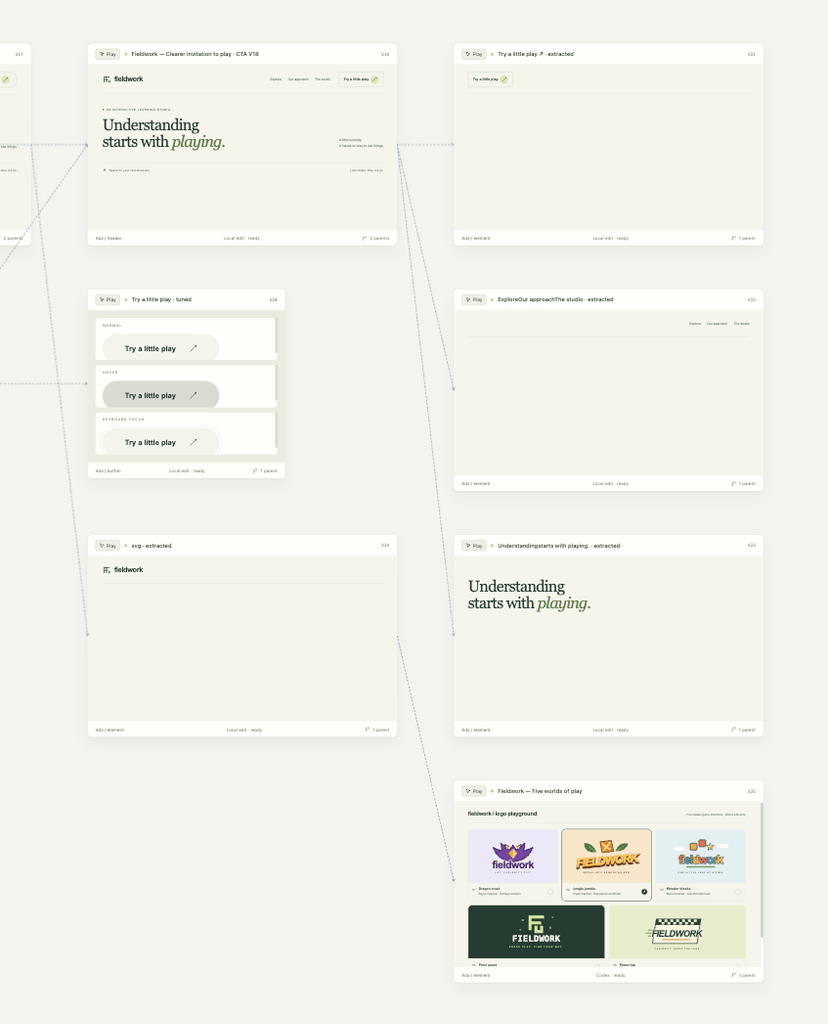
There was another primitive that recently gained popularity in the same space: Jev, TypeSafe’s decision model.5 In my little experiments, I found it a good way of decomposing designs when you want to split them, or when you want to break up a larger piece that an agent has done. Maybe it’s done the whole hero section and homepage, or maybe it’s got the whole nav bar. But now you want to concentrate on the typography of just the text. You could, of course, select it with some sort of editor, but it feels more natural to me that it’s already a thing you can branch and give feedback on.
Here’s a prototype of the rough idea.
Related Thoughts
- Exploring the Primitives of an Agentic Coding Setup: the same search for missing primitives, starting from Git, networking, and storage rather than the canvas.
- Emerging Field of Epistemic Engineering or Stochastic Management: more on Jev, and on decision models as one piece of a growing discipline.
- Cheaper Code Should Mean More Experiments: when versions are cheap, keeping thirty or forty of them around stops being wasteful.
- Building Explainers Random Thoughts - Drone 101: another experiment with interfaces you can manipulate directly rather than describe in text.
- Thoughts on Context and Conversation for Ideas: ideas that form by branching and connecting, rather than in a straight line.
Footnotes
-
Gergely Orosz, Design Engineering with Maggie Appleton, The Pragmatic Engineer, September 2026. Maggie is a staff research engineer at GitHub Next. The episode covers why she starts projects by sketching by hand, which she finds faster than describing an idea to a coding agent. ↩
-
Steve Ruiz, Agents on the Canvas in tldraw, AI Engineer Europe 2026. tldraw also publish an agent starter kit for building agents that read and edit the canvas. ↩
-
Steve Ruiz, make real, the story so far, November 2023. You sketch an interface, a model generates a working website from the drawing, and the result appears on the canvas, where you can annotate it and generate again. ↩
-
In the same episode, Maggie describes building “jigs”, named after the woodworking device: small prototypes with sliders and colour pickers that a coding agent builds so she can tweak a design in real time. ↩
-
Jev is TypeSafe’s “System One” model. It returns typed decisions with calibrated probabilities rather than free text. See Introducing System One Models & Jev. ↩